Distance Education Pixel Perfect Icons
Designing for digital learning platforms requires a visual language that is both clear and adaptable. Whether you're building an e-learning portal, a mobile app for students, or educational infographics, the right icons are essential for creating an intuitive user experience. This is where a specialized set of Distance Education Pixel Perfect Icons becomes an invaluable design asset, offering precision and versatility for modern educational interfaces.
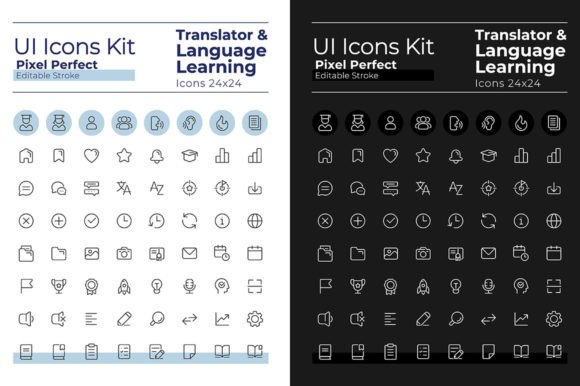
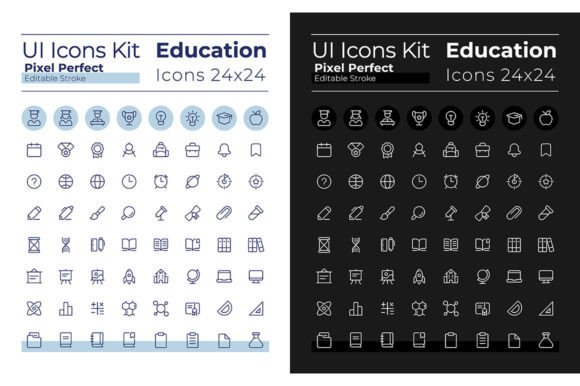
This comprehensive icon set is meticulously crafted for the specific needs of distance education and e-learning projects. It includes 64 linear icons, each available in both dark and light mode versions. This dual-theme approach ensures your designs maintain perfect clarity and aesthetic appeal, whether users prefer a bright daytime interface or a comfortable, low-glare night mode. The icons feature clean, editable strokes, allowing for easy customization to match your project's unique style and color palette.
Practical Applications for Educational Design
The utility of these pixel-perfect icons extends across a wide range of creative projects. They are perfectly suited for:
- User Interface (UI) Design: Enhance the usability of learning management systems, educational websites, and student portals with intuitive symbols for courses, assignments, grades, and communication tools.
- Brand Identity & Logo Design: Incorporate these crisp, modern icons into logos, app icons, and brand guidelines for educational institutions, online course creators, or ed-tech startups. Their clean lines contribute to a professional and trustworthy brand identity.
- Marketing & Social Media Graphics: Create engaging promotional materials, social media posts, and story graphics that clearly communicate educational themes and services to your audience.
- Infographics & Presentations: Use the icons to visualize data, steps in a process, or key concepts within educational brochures, slide decks, and instructional infographics, making complex information more digestible.
- Merchandise & Packaging: The scalable SVG and vector formats ensure these icons look sharp on physical products, from notebooks and stationery to tech accessories for students.
Design Flexibility and Integration
A key advantage of this icon set is its seamless integration into professional design workflows. The product includes all necessary file formats—EPS, SVG, PNG, JPEG, and AI—making it compatible with major design software like Adobe Illustrator, Figma, and Sketch. The inclusion of the Montserrat Bold and Light fonts ensures typographic harmony, allowing you to pair the icons with text that shares the same clean, geometric sans-serif character. This attention to typographic detail helps maintain visual consistency across your entire project, from headlines to icon labels.
When selecting and using these icons, consider the overall mood of your design. The light mode set works beautifully on clean, white backgrounds for a fresh and open feel, ideal for primary education materials. The dark mode icons excel in sleek, modern interfaces, reducing eye strain for extended study sessions and adding a touch of sophistication. Always test icon pairings with your chosen typefaces to ensure readability and balance. The editable stroke feature is particularly useful for creating emphasis or matching the weight of your primary display font.
Ultimately, investing in a high-quality, thematic icon set like this one streamlines your design process and elevates the final product. It removes the guesswork from finding or creating context-appropriate visual elements, allowing you to focus on crafting effective and beautiful educational experiences. For designers and creators dedicated to the e-learning space, these assets provide a foundation for building polished, professional, and user-friendly interfaces that stand out in a competitive digital landscape.